
Introduction
I had an assigned task to implement ambience in FMOD. The plan was to just use samples or existing FMOD tools, but procedural audio is an area I’ve been interested in for a while now. I decided to take the opportunity to learn how to procedurally generate wind sounds, and see if it would be worth implementing in our current project.
Learning the Basics
After some research, I found that procedural audio is basically just noise and filters. Wind is especially simple to generate since its most basic form is just white noise with a low-pass filter.
I discovered this page called NoiseCraft, which let me play around with noise and filters. After getting used to the tool I managed to make a basic wind sound!
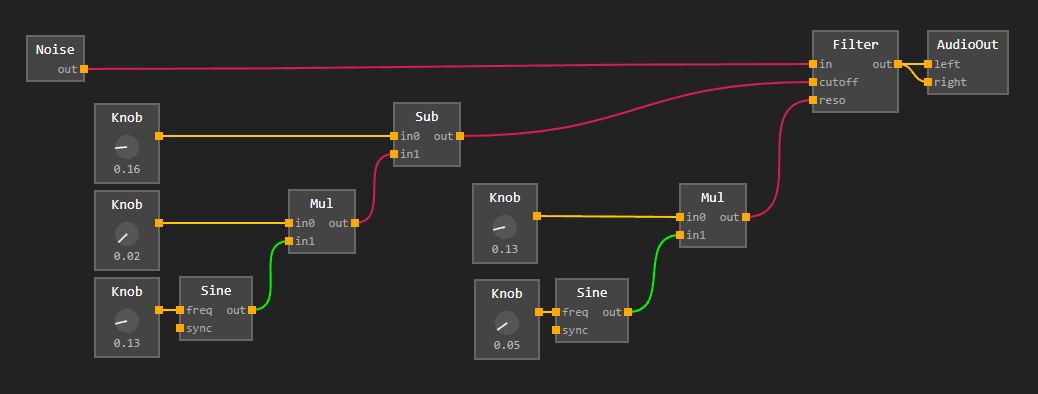
NoiseCraft only has a low-pass filter, which is pretty limiting and made the result bassy. I didn’t want to spend too much time on it though, since the main goal is to build an FMOD plugin.
Filters
Basic white noise is easy to generate, but implementing filters from scratch was something I had to read up on. I’ve used filters a lot when doing audio work, but I’ve never really had to think about the math behind them before.
One really useful resource I found was Audio EQ Cookbook by Robert Bristow-Johnson. It has all the necessary information on the math behind implementing filters, and was really helpful for me to get a basic band-pass filter working.
Unlike the low-pass filter which cuts high frequencies, a band-pass filter allows you to set a center frequency and a width, cutting both low and high frequencies at the same time. This allows me to shape the sound to not get too bassy or too sharp.
Modulation
Noise and filters alone are enough to make a basic wind sound, but there’s a reason I added sine waves to the graph; the sounds becomes way more alive because of the variation they add.
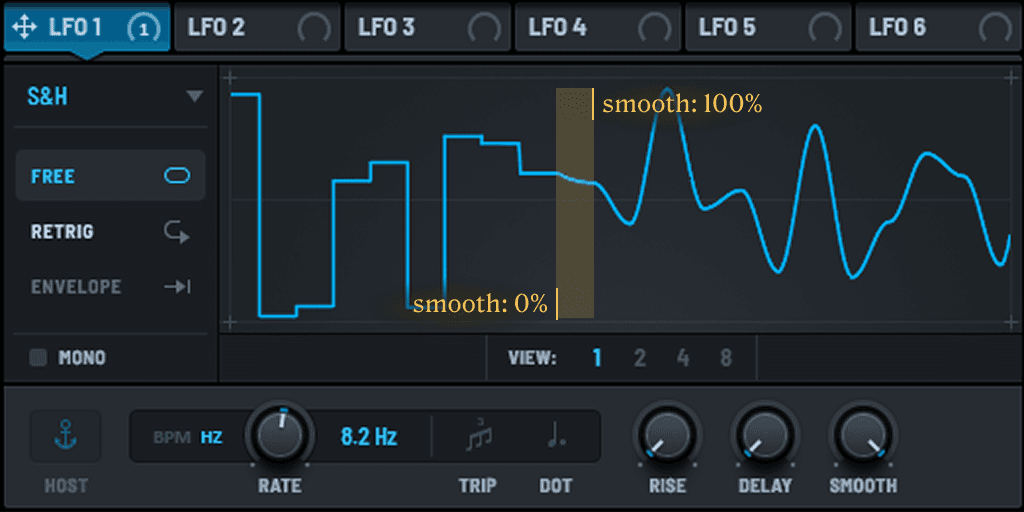
The simplest way is via an LFO, which is basically just a sine wave, but it still isn’t enough. I played around in my DAW and discovered S&H (Sample and Hold). It samples a value from an input signal (in this case, noise) at a certain rate, and holds that value until the next sample is taken.
Making the Plugin
I had a look at how to create an FMOD plugin, and it was pretty straightforward.
All Studio installations come with examples, so I played around with the dsp_custom example
and was able to get a simple demo window that procedurally generates wind sounds.
Now, I don’t want a demo window, this has to be a plugin that can be used in FMOD! I set up a new solution solely for the plugin because I wanted to have a clean slate made only for the plugin.
After porting my generator code to the plugin and finally loading it in FMOD, I was greeted with silence. Turns out that setting zero input channels causes FMOD to not give any output channels. Changing it to one input channel would allow audio to play, but only as an effect, not as an instrument.
I then tried to manually set the output channels in the Read function and got audio output!
However, it sounded nothing like wind. It was a crackly digital mess.
I brought in a classmate to help debug it,
and we eventually found that setting the output channels to 6
and only writing to 2 of them would give us regular audio,
but only if the output mode was set to 5.1 in the track.
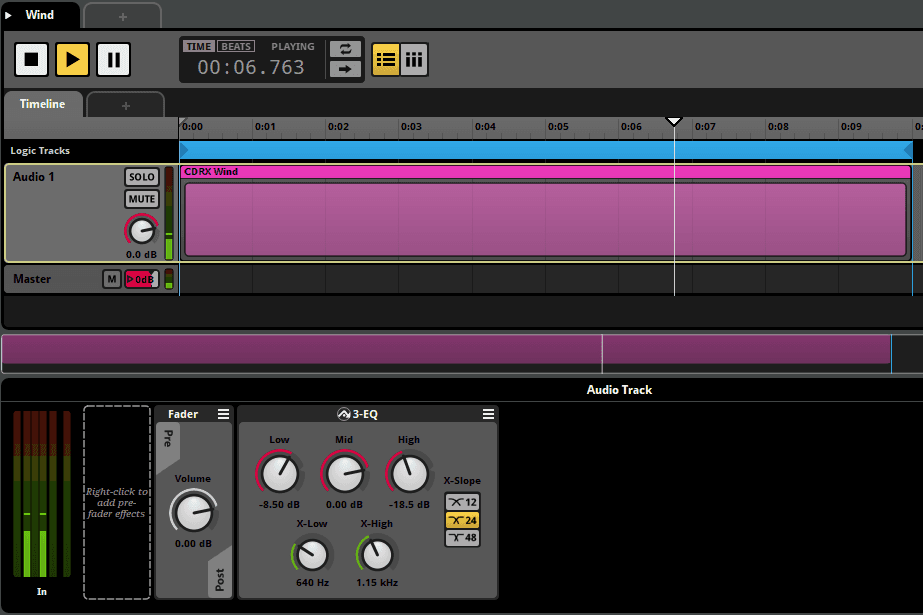
It’s not the cleanest solution, but it works. I’d like to check back on this later to find out why this workaround was the only way to get it working, but for now, I just want to have a working plugin that I can experiment with. For some final touches, I applied a 3-EQ in FMOD to make the sound softer:
Conclusion
While FMOD made it really difficult to implement as a plugin, the rest of the process was a lot of fun. Building filters from scratch gave me a way better understanding of how audio processing works, and the end result sounds really good for such a simple setup.
I want to try implementing this into our current project. A nice addition would be to implement more parameters and bind player movement to the wind intensity.
Given how much time I already spend on music and audio in our projects, it only made sense for me to explore procedural audio too. I would definitely like to explore more audio-related programming in the future.